Mechanical Keyboard Switches: The Complete Guide
Discover how to choose mechanical keyboard switches. Compare linear, tactile, and clicky switches, explore thocky and creamy sounds, and learn about lubing.
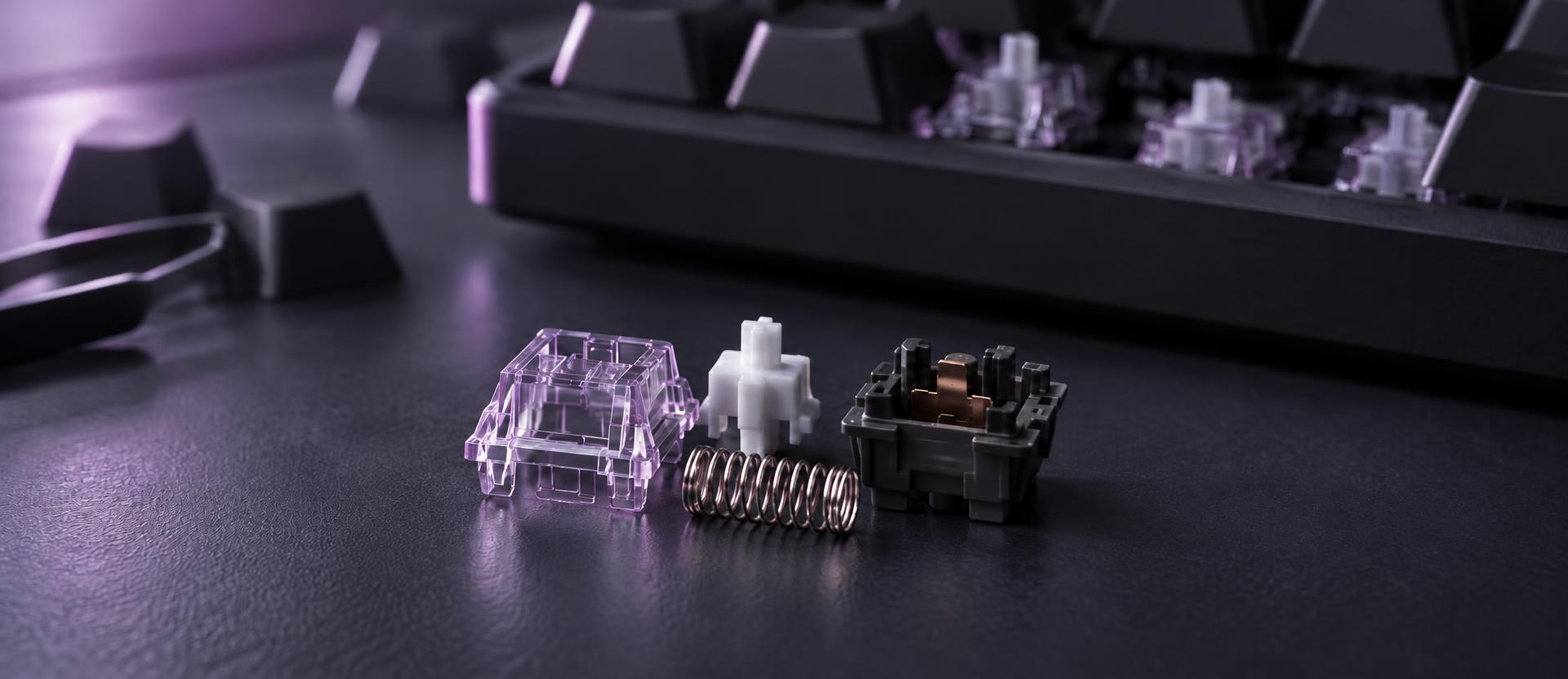
When choosing a mechanical keyboard, one of the most important components is hidden right beneath the keycaps: the switches.
Mechanical keyboard switches influence how much force is required to press a key, how smooth each keystroke feels, the feedback you experience while typing, and the sound your keyboard produces.
But if you've started exploring mechanical keyboard switches, you've probably discovered just how overwhelming the selection can be.
Linear, tactile, clicky, actuation force, spring weight, long-pole stems, factory lubrication, hand-lubed switches, switch films - the list goes on.
So how do you know which switches are right for you?
In this guide, we'll explore the different types of mechanical keyboard switches, explain what affects typing feel and sound, examine several popular options, and help you find switches that match your personal preferences.
I'll also share my own experiences with switches I've tested across different custom and prebuilt mechanical keyboards.
What Is a Mechanical Keyboard Switch?
A mechanical keyboard switch is the mechanism located underneath each keycap.
When you press a key, the switch moves downward and activates a mechanism that registers the keystroke.
In traditional mechanical switches, this usually involves electrical contacts. Other keyboard technologies, such as magnetic Hall Effect switches, use different methods to detect key presses.
A typical mechanical switch consists of several main components:
Although many switches share a similar basic design, differences in materials, spring characteristics, stem geometry, and manufacturing quality can create dramatically different typing experiences.
The Three Main Types of Mechanical Keyboard Switches
Traditional mechanical keyboard switches are generally divided into three main categories: linear, tactile, and clicky.
Linear Switches
Linear switches provide a smooth, continuous keypress without an intentional tactile bump.
The movement is relatively consistent throughout the keystroke, creating a fluid typing experience.
Main advantages:
However, not all linear switches feel soft.
Some linear switches are relatively heavy, firm, or produce a sharp, pronounced sound.
Who are they best for?
People who enjoy smooth typing, gamers who prefer uninterrupted key travel, and keyboard enthusiasts looking for a creamy or soft typing experience.
Tactile Switches
Tactile switches feature a noticeable resistance point during the keypress, commonly called a tactile bump.
This bump provides physical feedback as the key travels downward, often around the actuation point.
Main advantages:
The main disadvantage is that not everyone enjoys the additional resistance.
People who prefer completely smooth key travel may find tactile switches less comfortable.
Who are they best for?
Typists who enjoy physical feedback, people who spend long hours typing, and users who prefer a more defined keystroke.
Clicky Switches
Clicky switches include a mechanism that produces a distinct clicking sound during actuation.
Depending on the design, this may involve a click jacket, click bar, or another dedicated clicking mechanism.
Main advantages:
The main drawback is noise.
Clicky switches may be less suitable for shared offices, quiet environments, or situations where keyboard noise could disturb others.
Linear vs. Tactile vs. Clicky: Comparison Table
| Feature | Linear | Tactile | Clicky | |---|---|---|---| | Typing feel | Smooth and continuous | Noticeable tactile bump | Tactile feedback and click | | Built-in clicking sound | No | No | Yes | | Potential for quiet typing | High with suitable models | High with suitable models | Limited | | Common uses | Typing and gaming | Typing and general use | Typing enthusiasts who enjoy clicks |
Remember that even linear switches can be relatively loud.
The final sound depends on the entire keyboard build, not just the switch type.
What Determines How a Mechanical Keyboard Switch Feels?
One common misconception is that all switches within the same category feel similar.
In reality, two linear switches can feel completely different.
Several factors influence the typing experience.
Actuation Force
Actuation force refers to the amount of force required to reach the switch's actuation point.
It is commonly measured in gram-force (gf), although some manufacturers use centinewtons (cN) or newtons (N).
A switch with a lower actuation force may feel lighter, while one with a higher actuation force may provide more resistance.
However, there's an important distinction:
Actuation force is not necessarily the same as the force required to press the key all the way down.
Bottom-Out Force
Bottoming out occurs when a key reaches the end of its travel.
Bottom-out force describes the force required at that point.
Two switches may have similar actuation forces but feel very different near the bottom of the keystroke.
This is especially noticeable for people who regularly bottom out while typing.
Travel Distance
Mechanical switches typically have two important travel specifications:
Pre-travel: The distance the key moves before actuation.
Total travel: The maximum distance the key can move.
Many traditional MX-style switches have approximately 4 mm of total travel, but shorter-travel designs are also common.
Shorter travel can make the key reach the bottom sooner, but it doesn't automatically make a switch softer or more comfortable.
Spring Characteristics
The spring affects resistance throughout the keystroke and how quickly the key returns to its original position.
Springs come in different lengths, weights, and designs.
Some have more progressive force curves, while others provide a more consistent increase in resistance.
Even switches with identical advertised actuation forces can feel different because of their spring characteristics.
Materials and Manufacturing Quality
The materials used for the stem and housing can also influence typing feel and sound.
Common materials include:
These materials can affect friction, resonance, and acoustic characteristics.
However, it's important not to assume that one particular material always produces a deeper sound or softer feel.
Manufacturing tolerances and the interaction between components are equally important.
What Are Long-Pole Switches?
Long-pole switches typically feature a stem with an extended center pole.
This design may cause the pole to contact the bottom housing earlier, resulting in shorter total travel and a more pronounced bottom-out sound.
Some long-pole switches produce a sharp, bright sound.
Others may sound fuller or deeper depending on their construction and the keyboard they're installed in.
Therefore, long-pole doesn't automatically mean thocky, clacky, soft, or firm.
Each switch needs to be evaluated individually.
Mechanical Keyboard Sound Profiles: Creamy, Thocky, Clacky, and Silent
For many keyboard enthusiasts, sound is almost as important as typing feel.
The mechanical keyboard community uses several descriptive terms to characterize different sound profiles.
Creamy: Smooth and Rounded
A creamy keyboard sound is generally described as smooth, consistent, and rounded.
It usually lacks harsh, sharp clicks or prominent metallic noises.
The term is also frequently associated with a smooth, comfortable typing sensation.
Thocky: Deep and Full-Bodied
Thocky describes a relatively deep, low-pitched, and full-bodied typing sound.
It's one of the most sought-after sound profiles among custom mechanical keyboard enthusiasts.
However, thock is subjective.
Different people may use the term to describe slightly different acoustic characteristics.
Clacky: Bright and Crisp
Clacky describes a brighter, sharper typing sound with more pronounced high-frequency characteristics.
Some enthusiasts specifically prefer this sound profile, especially when the keyboard produces clean, consistent keystrokes.
Silent: Reduced Typing Noise
Silent switches generally include damping components designed to reduce noise during bottom-out and key return.
They can be particularly useful in shared offices, during video calls, or in environments where quiet typing matters.
The potential downside is that their bottom-out feel can be softer or slightly mushy, which isn't everyone's preference.
Do Thocky Switches Guarantee a Thocky Keyboard?
Not necessarily.
The same switch can sound very different in different keyboards.
Sound is influenced by several components, including:
For example, a switch that produces a deep sound in a keyboard with a polycarbonate plate may sound brighter in a different build.
For a more detailed explanation, read my guide to Creamy vs. Thocky Mechanical Keyboard Sound.
Lubing Mechanical Keyboard Switches: Factory Lubed vs. Hand Lubed
Switch lubrication is one of the most popular modifications in the mechanical keyboard hobby.
The goal is to reduce friction and certain unwanted noises between moving components.
What Are Factory-Lubed Switches?
Factory-lubed switches are lubricated during manufacturing.
Their main advantage is convenience.
You can install and use them immediately without opening each switch.
However, lubrication quality varies significantly between manufacturers and models.
Some factory-lubed switches feel excellent right out of the box.
Others may have inconsistent lubrication or simply not provide the feel you're looking for.
What Are Hand-Lubed Switches?
Hand lubing involves opening a switch and carefully applying a suitable lubricant to selected components.
When done correctly, it can improve smoothness and reduce friction or spring noise.
However, excessive lubrication can make a switch feel sluggish or muted.
With tactile switches, applying lubricant to the wrong areas can also reduce the tactile feedback.
What Is Switch Filming?
A switch film is a thin component placed between the upper and lower switch housings.
Its purpose is to reduce unwanted movement between housing components when the fit isn't sufficiently tight.
In some switches, filming can improve housing stability and slightly change the sound.
However, not every switch benefits from films.
Switches with particularly tight housings may not need them, and adding films can sometimes interfere with proper assembly.
Is Hand Lubing Always Better?
No.
High-quality hand lubrication can produce excellent results, but well-lubed factory switches can also feel extremely smooth.
Some switches perform beautifully without any modifications.
The best choice depends on the switch design, factory lubrication quality, and your personal preferences.
Mechanical Keyboard Switches I've Personally Tested
Over the years, I've experimented with a wide variety of switches across custom and prebuilt mechanical keyboards.
My personal preference is for a soft, buttery-smooth typing experience combined with a deep, creamy, full-bodied sound.
One thing I've learned is that the softest switch doesn't always produce my favorite sound, and the switch with the best sound isn't necessarily the softest.
The following impressions are based on my personal experience and are influenced by the keyboards and components I used.
Alpaca V2: Exceptional Softness and Smoothness
Alpaca V2 is one of my favorite linear switches.
In the lubed and filmed version I've used, it delivers an exceptionally soft, smooth, and comfortable typing experience.
What I particularly enjoy is how it feels during continuous typing, including when the keys bottom out.
In certain keyboards, the experience has been almost buttery.
However, the sound hasn't always been as deep or full-bodied as I'd like.
My impression: An excellent option for anyone who prioritizes softness and smoothness, although the final sound depends heavily on the keyboard.
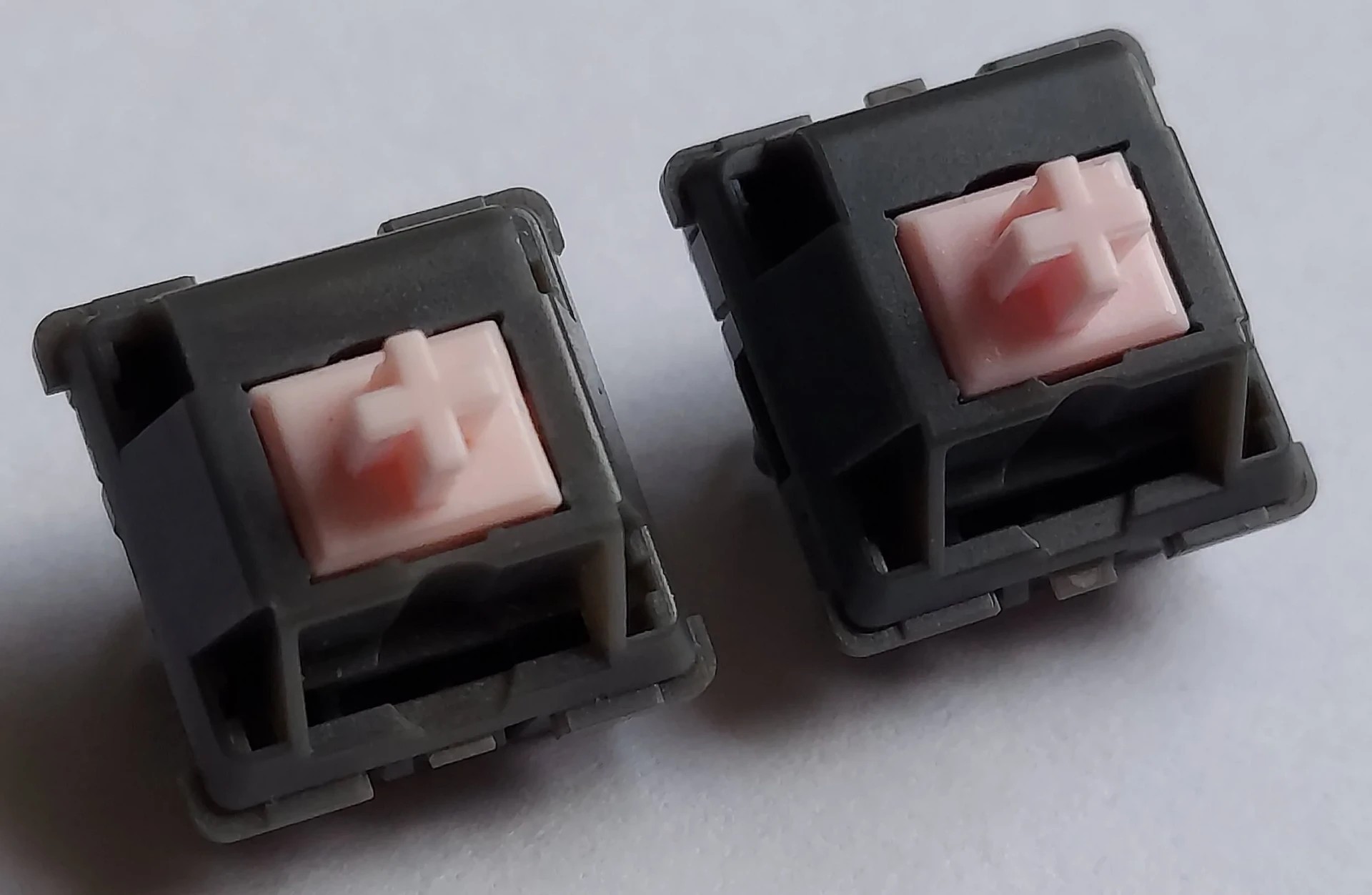
WS Morandi: Smooth Feel and Full Sound
WS Morandi is another linear switch I enjoy, especially in a carefully hand-lubed configuration, with films where appropriate.
In my experience, it offers smooth, pleasant key travel and a sound that can be full and rounded.
In certain keyboards, I've found it provides a very satisfying balance between typing feel and acoustics.
However, it hasn't always matched the softness of Alpaca V2 in every build.
My impression: A compelling option for enthusiasts looking for smoothness, a refined typing feel, and a satisfying sound.
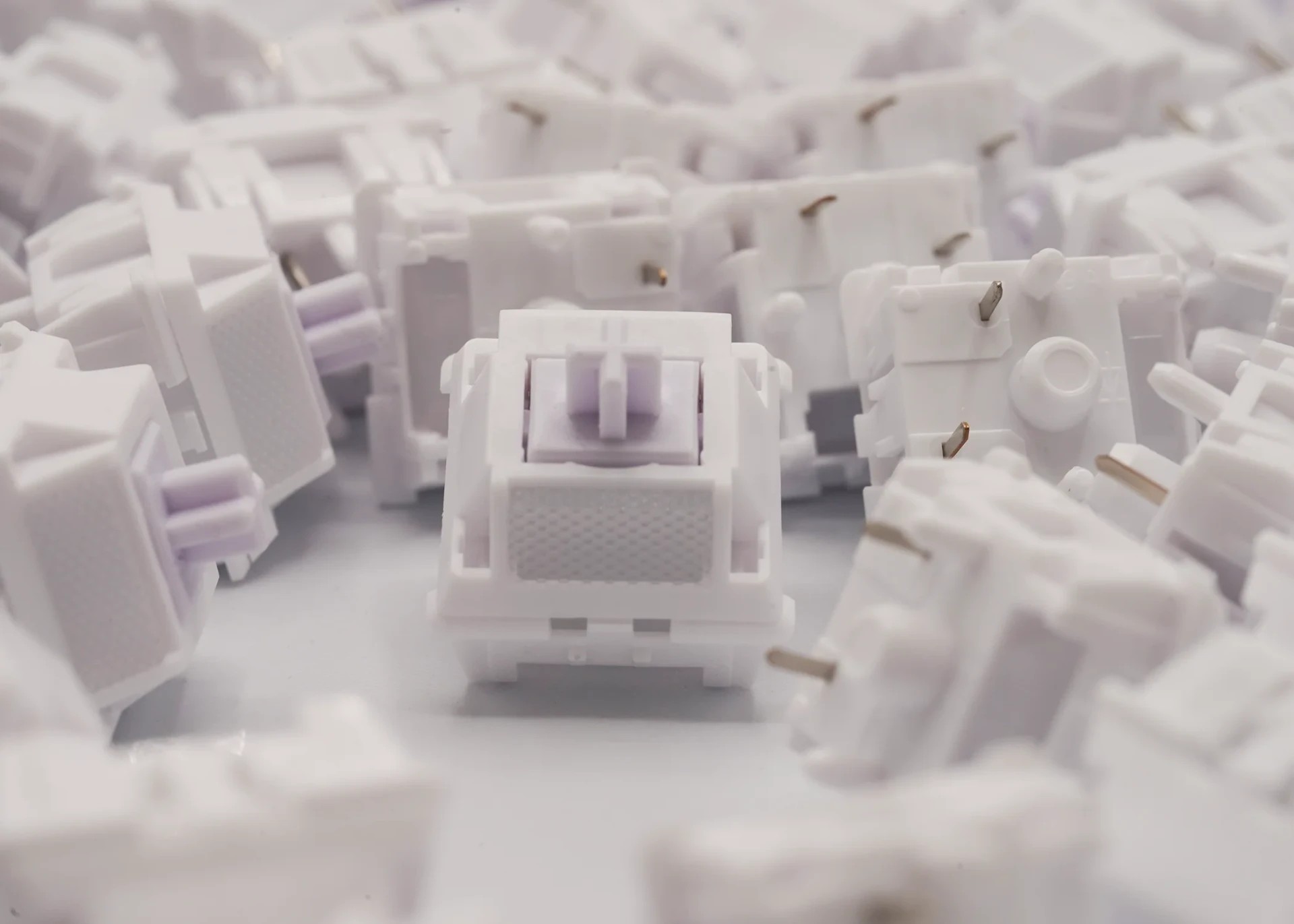
Keygeek Y2: Softness Meets Deep, Full-Bodied Thock
Keygeek Y2, particularly in a hand-lubed and filmed configuration, has been a pleasant surprise.
Compared with the Keygeek Y3 switches I've tested, Y2 felt softer and produced a deeper, fuller sound.
In my WOBKEY Crush80 Reboot Pro, I achieved a combination I particularly enjoyed: relatively soft typing with a rich, thocky sound.
In terms of softness, it came surprisingly close to Alpaca V2.
In some configurations, I actually preferred the sound of Y2.
My impression: One of the most satisfying combinations I've found between softness and a deep, full-bodied sound.
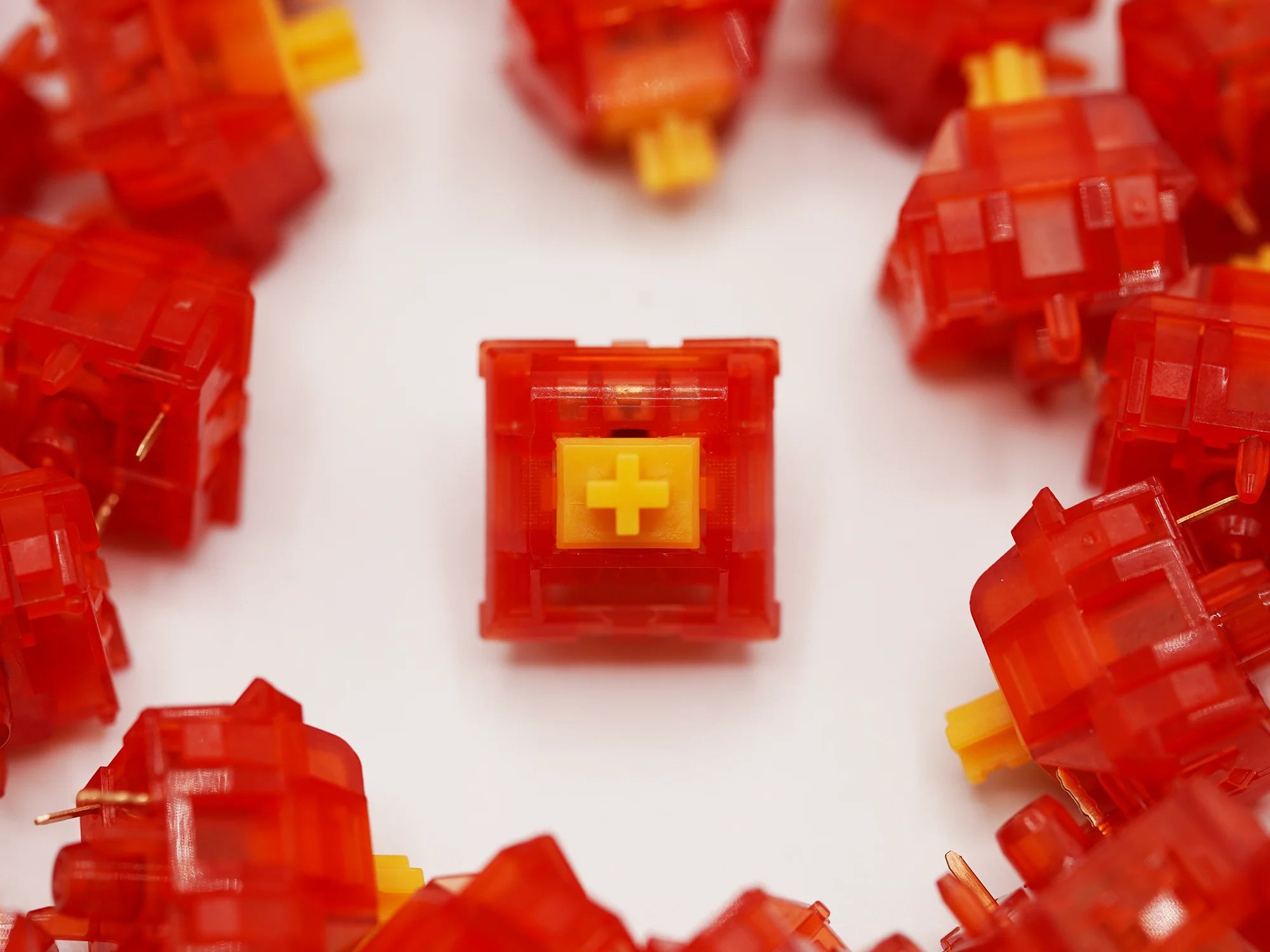
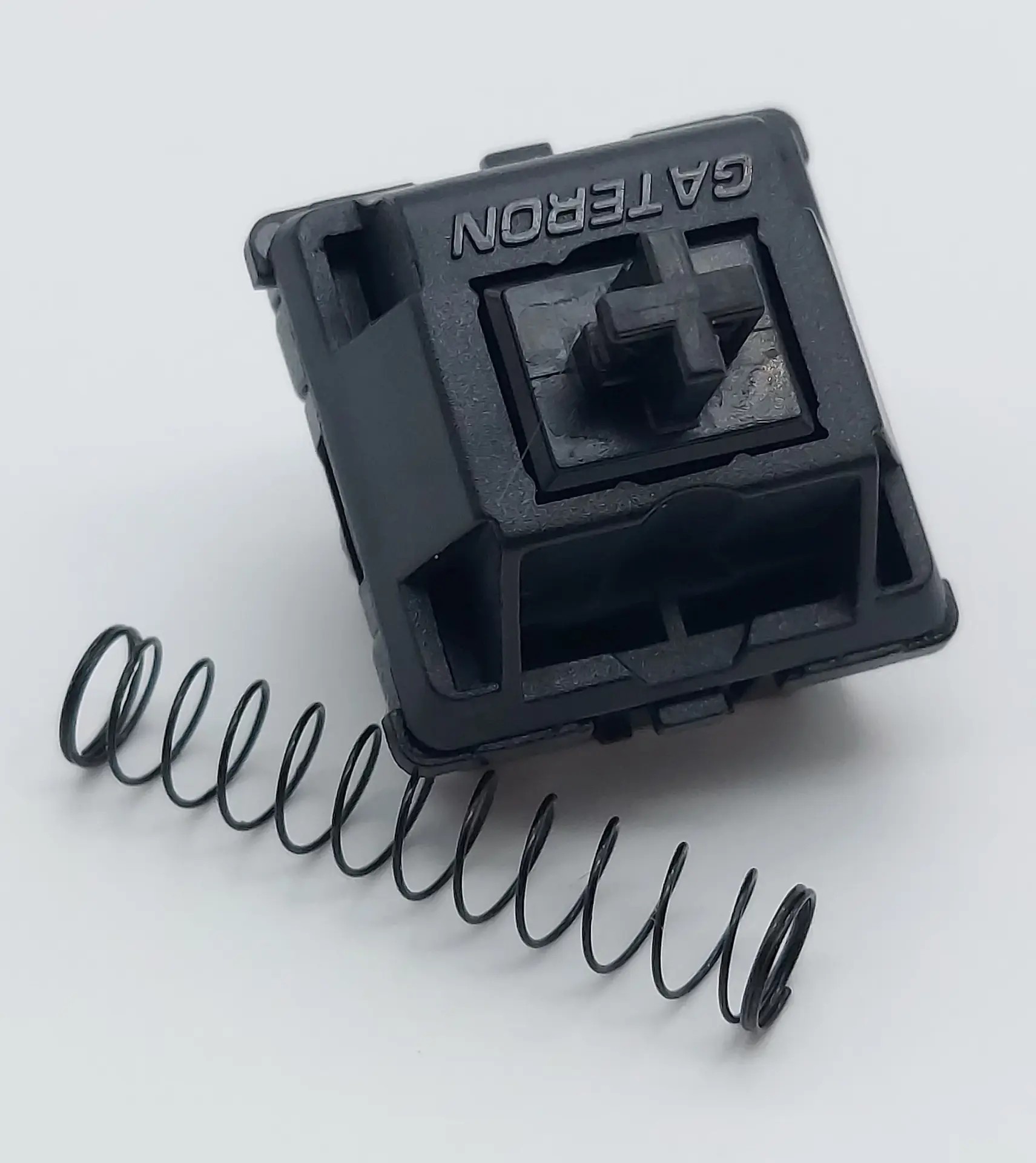
Gateron Oil King: Smooth and Solid
Gateron Oil King is a well-known linear switch among mechanical keyboard enthusiasts.
In my experience, particularly when properly lubricated, it offers smooth key travel and a solid, refined typing feel.
However, it hasn't always provided the level of softness I prefer.
Its sound has also varied depending on the keyboard and keycap set.
My impression: A high-quality switch for people who appreciate smooth movement and a solid feel, although it isn't necessarily my first choice for maximum softness.
Keygeek Y3: Pleasant, but Different
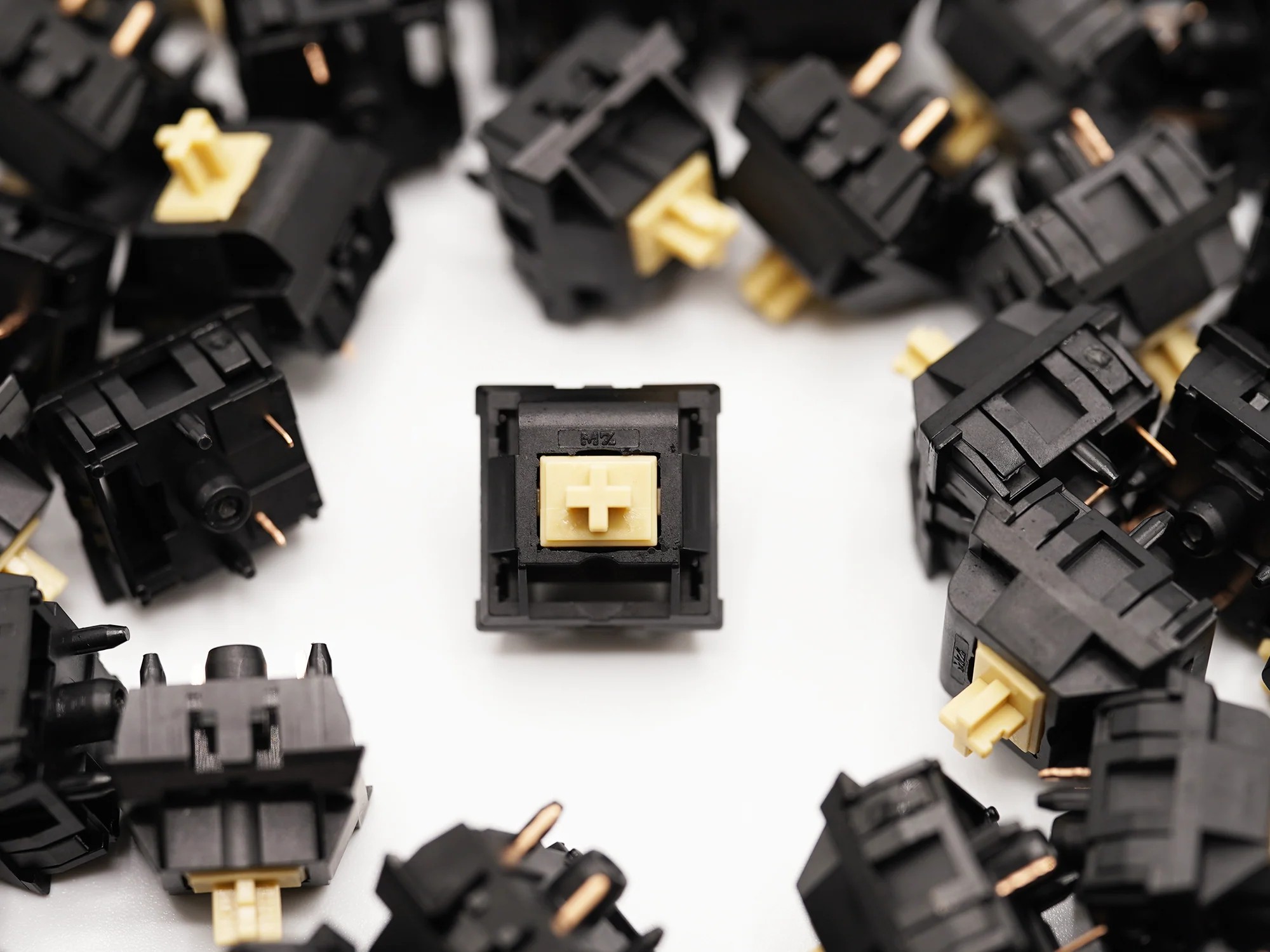
Keygeek Y3 also provided an enjoyable typing experience.
However, when comparing it directly with my hand-lubed Keygeek Y2 switches, I preferred Y2.
Y3 felt slightly less soft, and its sound was thinner in some of the keyboard configurations I tried.
That doesn't make Y3 objectively worse.
It simply offers a different experience that may appeal to other preferences.
What I've Learned From Comparing Switches
My experience has reinforced several important lessons:
Most importantly, there's no substitute for personal experience.
How to Choose Mechanical Keyboard Switches for Your Needs
Best Switches for Long Typing Sessions
If you spend several hours typing every day, consider spring weight, resistance throughout the keystroke, and bottom-out feel.
Lighter switches may be comfortable for some users, while others prefer more resistance to avoid accidental keypresses.
Both tactile and linear switches can work well for extended typing sessions.
Best Switches for Gaming
Linear switches are popular among gamers because of their smooth, uninterrupted travel.
However, no single switch type is best for every game or player.
Some gaming keyboards use magnetic Hall Effect switches, enabling features such as adjustable actuation points and Rapid Trigger.
These switches are not necessarily compatible with traditional mechanical switch sockets, so compatibility should always be checked before purchasing.
Best Switches for Office Work
In a shared office, noise levels can be an important consideration.
Silent linear or silent tactile switches can be excellent choices.
It's also worth considering noise generated by stabilizers, keycaps, and the keyboard case itself.
Best Switches for a Thocky Sound
If your goal is a deep, full-bodied typing sound, start by choosing switches that provide your preferred typing feel.
However, don't rely on switches alone.
Plate material, keycaps, case construction, and internal dampening all influence the final result.
Sometimes changing the keycap set alone can noticeably alter a keyboard's sound.
For more information, check out my guide on How to Choose Mechanical Keyboard Keycaps.
Hot-Swap Keyboards: Can You Replace Switches in Any Keyboard?
One of the biggest advantages of modern mechanical keyboards is the ability to customize their switches.
However, not every keyboard makes this equally easy.
What Is a Hot-Swappable Keyboard?
A hot-swappable keyboard allows you to remove and install compatible switches without soldering.
A tool called a switch puller is typically used to remove the switches.
However, compatibility between the switches and PCB must be verified.
3-Pin vs. 5-Pin Switches
Many mechanical switches include two electrical pins and a central plastic mounting post.
Five-pin switches include two additional plastic alignment pins.
Some hot-swap PCBs support both types, while others only accommodate specific configurations.
Always verify compatibility before purchasing.
Are All Switches Compatible With Hot-Swap Keyboards?
No.
Traditional mechanical switches, optical switches, magnetic switches, and low-profile switches can use different technologies and physical designs.
Even within the same category, compatibility may vary.
Some keyboards use sockets designed for specific switch types.
For this reason, always check the manufacturer's specifications rather than relying solely on the term "hot-swappable."
If you're still exploring different keyboard options, read Custom vs. Prebuilt Mechanical Keyboards: What's the Difference?.
How to Replace Switches in a Hot-Swappable Keyboard
Replacing switches is usually straightforward, but it's important to work carefully.
1. Disconnect the keyboard from your computer and turn it off if it's wireless. 2. Remove the keycaps using a keycap puller. 3. Use a switch puller to release the switch from the plate. 4. Check that the pins on the replacement switch are straight. 5. Align the switch with the socket and insert it gently. 6. Reinstall the keycap and test the key.
Never use excessive force.
If a switch doesn't fit relatively easily, stop and check its alignment and compatibility.
Bent pins or improper installation can damage the switch or hot-swap socket.
Are Expensive Mechanical Keyboard Switches Worth It?
Not necessarily.
Switch prices can be influenced by materials, manufacturing quality, specialized mechanisms, branding, and availability.
However, a higher price doesn't guarantee a better typing experience.
Some affordable switches offer excellent smoothness and high-quality factory lubrication.
Meanwhile, expensive switches may still benefit from additional lubrication or simply not match your preferences.
Before buying a full set, consider testing several switch models or purchasing a switch tester.
This allows you to explore different switch types without immediately committing to an entire keyboard's worth of switches.
Just remember that testing a single switch doesn't fully replicate how it will feel inside a complete keyboard.
How Many Mechanical Keyboard Switches Do You Need?
The number of switches required depends on your keyboard layout and the actual number of keys.
| Keyboard Layout | Approximate Switch Count | |---|---| | 60% | 61-64 | | 65% | 66-70 | | 75% | 80-84 | | TKL / 80% | 87-88 | | 96% / 98% | 96-100 | | Full Size | 104-108 |
The exact number may vary depending on the layout, additional function keys, and keyboard design.
It's generally a good idea to order a few extra switches in case of damaged pins or future replacements.
Common Mistakes When Choosing Mechanical Keyboard Switches
Choosing Switches Based Only on YouTube Sound Tests
Typing videos can help you understand a switch's general sound profile.
However, the result is influenced by microphones, room acoustics, audio processing, and the keyboard itself.
Don't assume you'll get the exact same sound simply by purchasing the same switches.
Assuming Lighter Switches Are Always Softer
A lower actuation force doesn't guarantee a softer bottom-out feel.
Perceived softness also depends on the spring force curve, travel distance, keyboard construction, and typing technique.
Assuming Lubing Always Improves a Switch
Proper lubrication can improve smoothness and reduce unwanted noise.
However, excessive or incorrectly applied lubricant can negatively affect the typing experience.
Changing Too Many Components at Once
If you replace switches, keycaps, the plate, and internal dampening materials simultaneously, it becomes difficult to identify which change produced the result.
If you enjoy experimenting, try changing one component at a time.
Believing There's One Perfect Switch for Everyone
Personal preference plays a major role.
Some people prefer light, soft switches, others prefer a firmer feel, and for some the sound matters more than anything else.
Frequently Asked Questions About Mechanical Keyboard Switches
What are the best switches for a mechanical keyboard?
There's no single switch that's best for everyone. The right choice depends on typing feel, actuation force, sound, intended use, and budget.
Which is better, linear or tactile?
Linear switches suit people who prefer a smooth, uninterrupted keystroke, while tactile switches suit those who enjoy a noticeable physical bump during each press. Both can work well for typing and gaming.
What is the quietest switch?
Dedicated silent linear or silent tactile switches are designed to reduce typing noise. That said, the noise level also depends on the keyboard's construction and how you type.
Are lubed switches better?
Quality lubrication can reduce friction and improve smoothness, but not every switch needs extra lube. Some excellent switches come ready to use straight from the factory.
Can you make a keyboard more thocky by changing switches?
Sometimes, yes. Swapping switches can change the sound, but the keycaps, plate, dampening materials, and case also affect the result.
Are linear switches better for gaming?
Linear switches are popular for gaming, but they aren't necessarily better for every player. Personal preference, actuation point, and keyboard technology also shape the experience.
Can you use different switches on the same keyboard?
On compatible hot-swap keyboards, you can usually mix different switch types. For example, you might use one switch on the main keys and another on the function keys.
However, keep an eye on differences in feel, weight, and compatibility.
How long do mechanical switches last?
Many switches are rated by their manufacturers for tens of millions of keystrokes, but actual lifespan depends on the model, manufacturing quality, usage, and environmental conditions.
In Summary: How to Choose the Right Switches
Switches are one of the most significant components in the typing experience of a mechanical keyboard.
They affect smoothness, resistance, bottom-out feel, and sound, but they don't work alone.
A keyboard is a combination of components, and sometimes a small change can significantly alter the result.
From my own experience, I've learned that the most popular or most expensive switch isn't always the one you end up loving.
Sometimes a switch feels perfect in one keyboard and less impressive in another.
The best way to find the right switches for you is to understand what you like, experiment, and pay attention to both the feel and the sound.
And most importantly: enjoy the journey. A big part of the fun in the mechanical keyboard world is discovering, every time, a new combination that works just right for you.
Looking for switches, keycaps, mechanical keyboards or accessories?
At GaliKey you'll find switches, keycaps and accessories for keyboards, alongside mechanical keyboards from my private collection.
Items are offered for sale by personal arrangement, and availability may change.
If you're also interested in used keyboards, it's worth reading the guide to buying used mechanical keyboards in Israel.
Gali | GaliKey
Keyboards, keycaps, and a lot of love for the hobby.