Hot-Swap in Mechanical Keyboards: What It Is, Why It's Useful and What to Know Before Replacing Switches
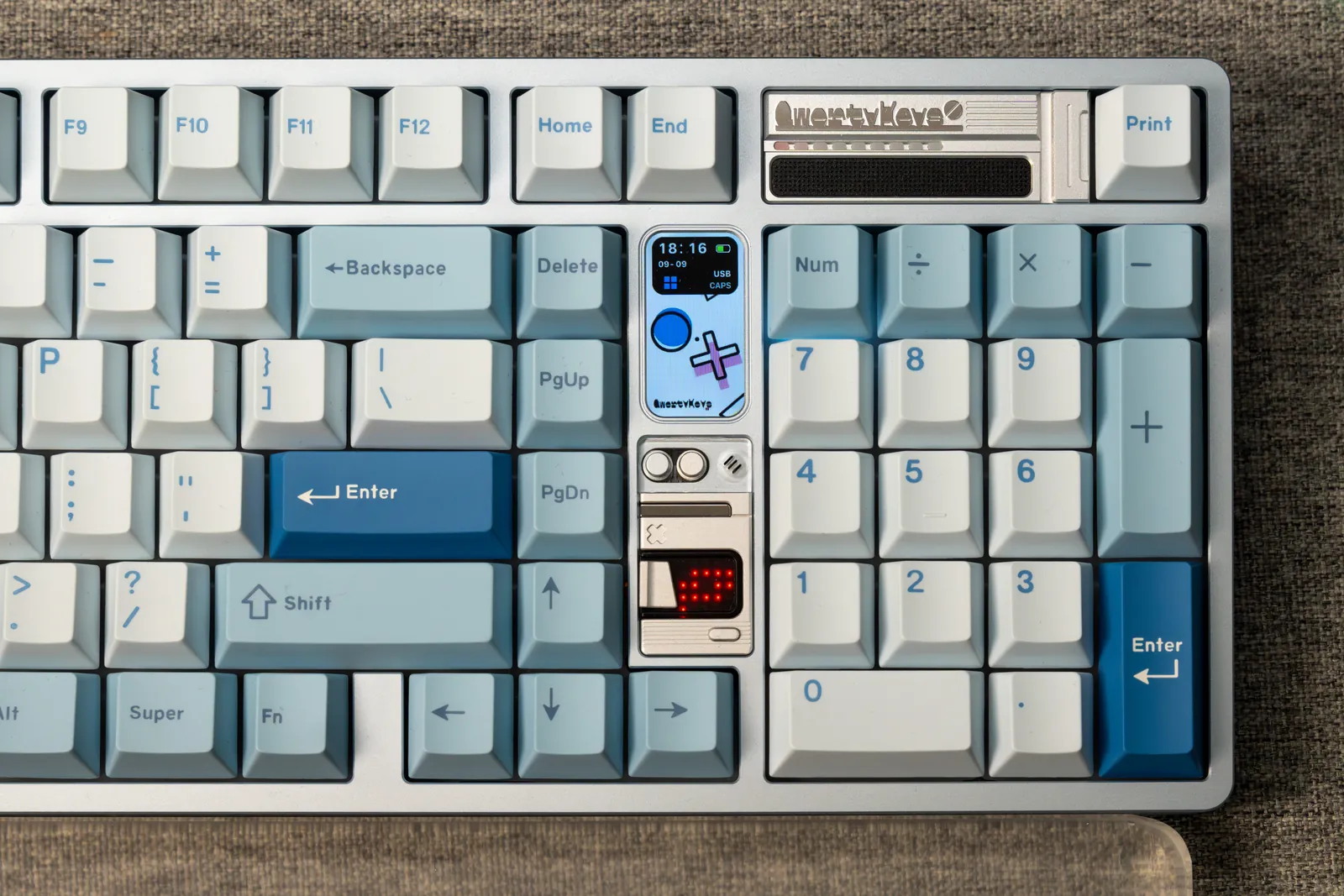
One of the terms you'll encounter almost immediately when entering the world of mechanical keyboards is Hot-Swap.
The ability to remove a switch and replace it with another in a few seconds sounds simple - and it really is one of the most useful features of a modern mechanical keyboard. But before you start pulling out switches, it's worth understanding how the mechanism works and how to replace a switch without damaging it or the PCB.
So What Exactly Is Hot-Swap?
In a regular mechanical keyboard without Hot-Swap, the switches are soldered directly to the PCB - the keyboard's printed circuit board. To replace a switch, you need to remove the old solder and solder in the new switch.
In a Hot-Swap keyboard, by contrast, the PCB includes special sockets that accept the switch pins.
The result: you can remove a switch and insert another without soldering.
Turn off or unplug the keyboard, remove the keycap, pull out the switch using a switch puller, and insert another switch in its place.
Why Is Hot-Swap So Useful?
The most obvious advantage is the ability to experiment.
There is a huge range of mechanical switches available today: Linear, Tactile and Clicky, with different weights, different materials and completely different feels.
Instead of committing to one type of switch for the keyboard's entire life, Hot-Swap lets you change its character whenever you feel like it.
Want to try lighter linear switches? Swap them out.
Want a deeper, heavier feel? You can try another set.
Has one switch started acting up? You can replace just that one.
This is also what makes Hot-Swap a great feature for anyone getting into the hobby: the more switches you try, the better you begin to understand what you really like.
Before You Start: 3-Pin or 5-Pin?
If you look at the bottom of a mechanical switch, you'll see several pins and legs.
One common distinction is 3-Pin versus 5-Pin.
A 5-Pin switch includes two additional plastic legs that help stabilize it on the PCB. A 3-Pin switch does not have these legs.
A PCB that supports 5-Pin switches will generally also accept 3-Pin switches. However, if the PCB only supports 3-Pin switches, a 5-Pin switch will not fit as it is.
That's why it's worth checking your keyboard's specifications before buying a new set of switches.
The Most Important Thing to Check Before Inserting a Switch: The Pins
Before pressing a new switch into the keyboard, turn it over and look at its pins.
They should be straight.
A pin that was slightly bent during shipping or while being removed from another keyboard may not fit into the socket correctly. If you force it anyway, it may fold underneath the switch instead of entering the Hot-Swap socket.
If the switch doesn't go in relatively easily, don't keep applying more force.
Take it out and check what's going on.
Sometimes all you'll find is a slightly bent pin that can be carefully straightened.
How Do You Remove a Switch Correctly?
After removing the keycap, use a switch puller.
A switch is usually held in the plate by small tabs at its top and bottom. The switch puller presses these tabs to release it.
Grip the switch and pull it straight up in a controlled motion.
There's no need to fight it.
If a particular switch refuses to come out, check that the puller is actually pressing its release points before applying more force.
And how do you insert a new switch?
First, check that the pins are straight and that the switch is facing the right direction.
Position it over the opening and press straight down gently until it sits in place.
If you feel unusual resistance - stop.
One of the best rules when working with keyboards is simple:
If something requires excessive force, check why before you keep pressing.
It's worth testing each switch as you go
Just replaced 100 switches, put all the keycaps back on, and only then discovered that three keys aren't responding?
Not fun.
That's why, after installing the switches and before putting all the keycaps back on, it's a good idea to run a keyboard test and make sure every key registers.
If a particular key doesn't respond, remove the switch and check its pins first.
Often, you'll find that a pin simply bent during installation.
Hot-Swap doesn't mean you can't cause damage
Hot-Swap makes replacing switches very simple, but the sockets themselves are still attached to the PCB.
Applying excessive force, inserting a switch at the wrong angle, or working carelessly can damage them.
That's why it's worth taking your time, especially for your first few replacements.
There's no prize for replacing 100 switches in five minutes.
Can you mix several types of switches in the same keyboard?
Absolutely.
There's no requirement for every key on a keyboard to use the same switch.
Some people like one switch for the letter keys and a heavier switch for the spacebar, for example. Others use different switches for Enter, the spacebar, or the numpad.
It's also a great way to compare switches: install several types in the same keyboard and try them side by side.
Just keep in mind that the feel and sound of the same switch can vary depending on its position on the keyboard.
Does changing switches also change the sound?
Absolutely - sometimes significantly.
The housing and stem materials, switch design, spring, and even lubricants can affect the sound.
But the switch is only part of the equation.
The same switch can sound completely different in two different keyboards because of the case, plate, keycaps, foam, and the keyboard's internal structure.
So sound test videos can give you a general idea, but they don't guarantee that the same switch will sound exactly like that in your setup.
Hot-Swap turns your keyboard into something you can keep exploring
And that may be its biggest advantage.
You don't have to buy a new keyboard every time you feel like a change.
Sometimes a new set of switches can make a keyboard you already know feel almost like a different one.
You can experiment, compare, and discover over time whether you prefer Linear or Tactile, light or heavy switches, a smooth feel or one with a little more feedback.
And that's exactly the magic of Hot-Swap: the keyboard doesn't have to stay the way it came out of the box.
You can keep changing it until you find the combination that simply feels right.